Step 1: Sign Up & Login
Create your ControlBird account and access the cloud management portal.
The Control Plane: Your Management Hub
The Control Plane is where you manage your entire ControlBird fleet. From here you can deploy new instances, monitor system health, manage subscriptions, and access your running nodes. Think of it as your operations center for all things ControlBird.
Navigate to app.controlbird.io (or your enterprise Control Plane URL) to get started.
Enterprise Deployments
Organizations with on-premises requirements can deploy a private Control Plane. Contact sales for enterprise deployment options.
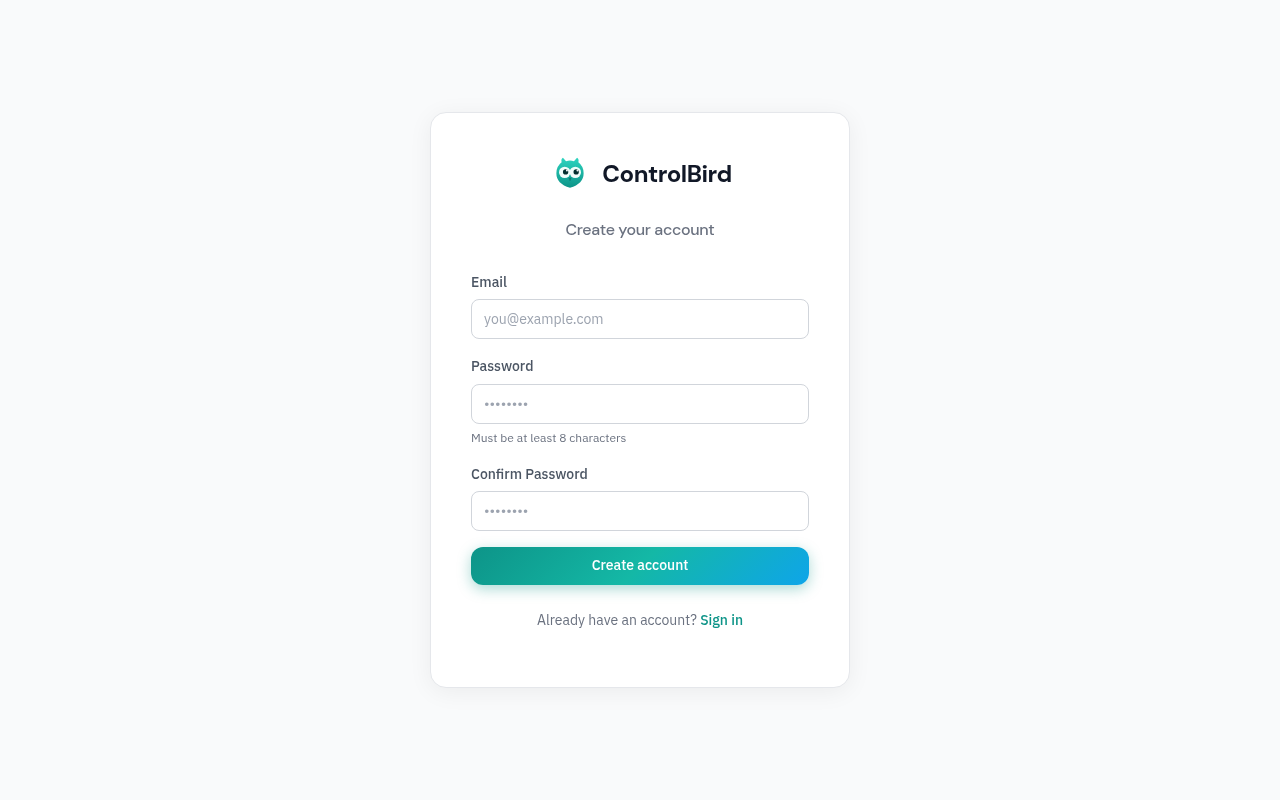
Creating an Account
If you don't have an account yet, click "Register" to create one. You can register using:
- Email and password: Enter your email address and choose a secure password
- OAuth providers: Sign up with Google, GitHub, or other configured SSO providers
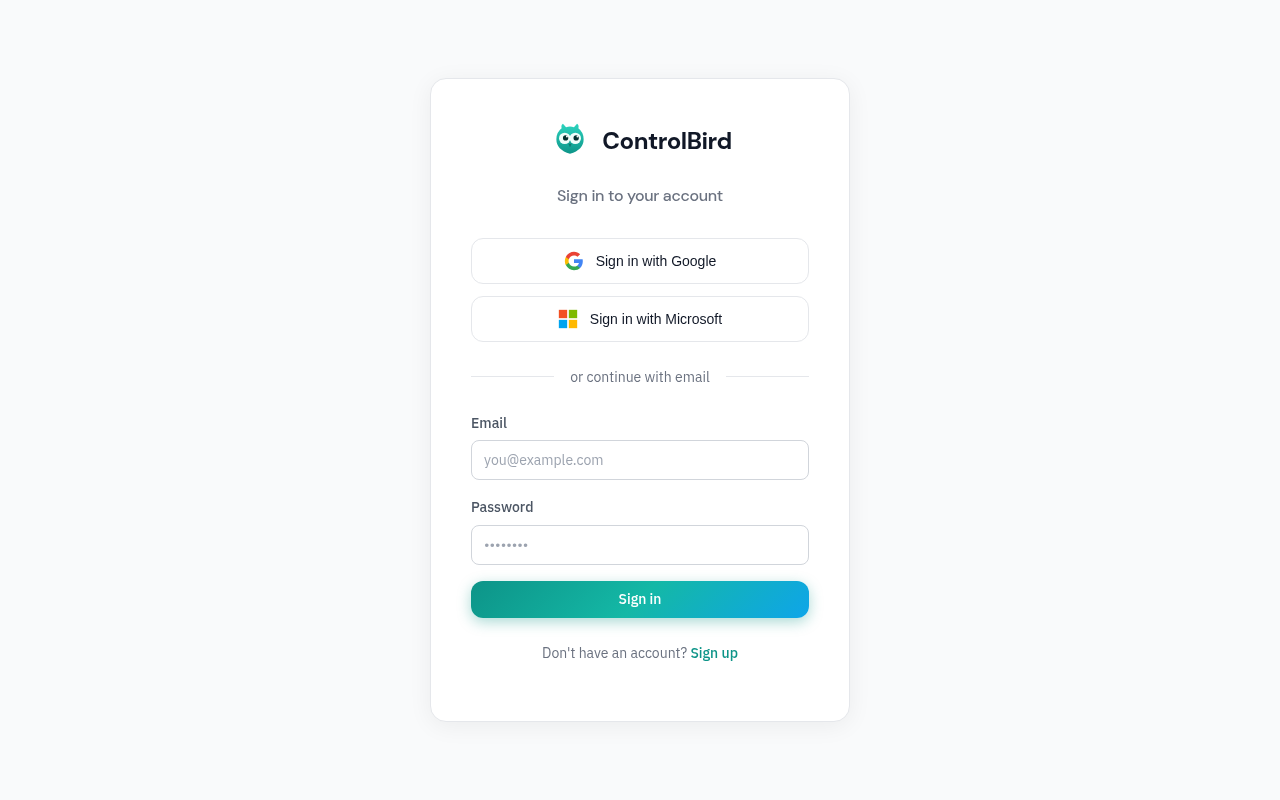
Signing In
If you already have an account, click "Login" and enter your credentials. You can also use the same OAuth providers you registered with.
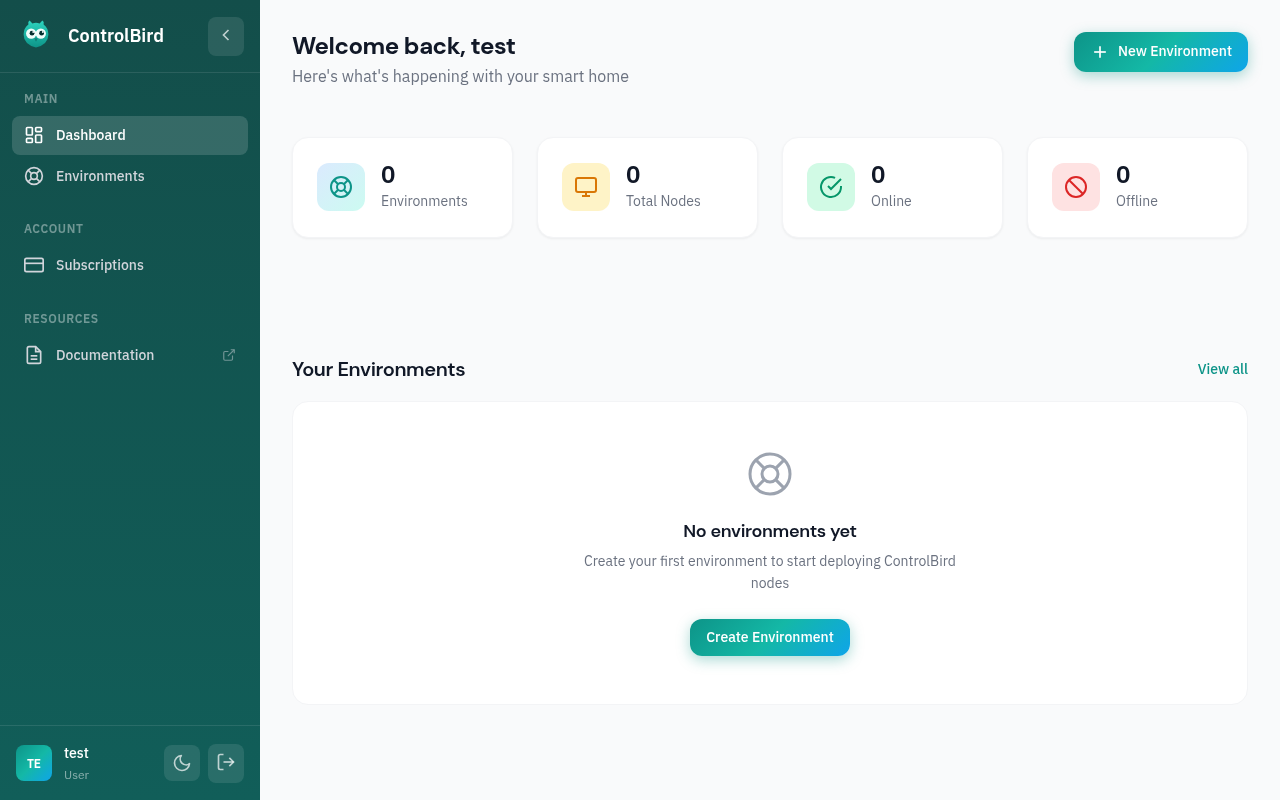
The Dashboard
After signing in, you'll see the Control Plane dashboard, your central command for managing ControlBird deployments:
Troubleshooting
I didn't receive a verification email
Check your spam or junk folder first. If you still don't see it, try these steps:
- Wait a few minutes, as emails can sometimes be delayed
- Click "Resend verification email" on the login page
- Make sure you entered your email address correctly
OAuth login isn't working
If you're having trouble with Google, GitHub, or other OAuth providers:
- Make sure pop-ups aren't blocked for this site
- Try a different browser or incognito/private mode
- Clear your browser cookies and try again
I forgot my password
Click "Forgot password?" on the login page. You'll receive an email with a link to reset your password. The link expires after 24 hours.